Multi-monitor trading command center with a market strength dashboard

WEIR MT5 Command Deck Autonomy

Supervised autonomy for serious MT5 operators.

One deck. Nine rooms. Live strength, fleet health, AI judgment, and a clear path from signal to execution.

Built for operators

Mission control for currency strength and autonomous execution.

WEIR MT5 Command Deck Autonomy connects your MetaTrader environment to a structured decision stack: board awareness, quality gates, risk discipline, and AI context — so you supervise the system instead of chasing charts alone.

14 days to prove fit — no long commitment required

Product tour

Nine rooms. Top to bottom.

Each room has one job. Read the plain-English line first, then the snapshot. The Command Deck decides. Hangar proves the EA is alive. Supervisor shows why a trade did or did not fire.

Command Deck

Your live mission-control board. Read the 16-pair strength matrix, command EA slots, and arm or stop autonomy from one surface.

In plain English: this page answers “who is strong, who is weak, and may we trade?” A pair is a trade when the first currency beats the second by at least 1.50 (AUDJPY BUY means AUD is that much stronger than JPY). READY means the board will let it through. BLOCKED always names why. The Auto badge must say Armed or nothing is sent to MT5.

  • See strongest-versus-weakest bias across the full pair matrix at a glance.
  • Pin and command EAs from hangar slots without leaving the deck.
  • Arm, disarm, or hard-stop trading when conditions turn hostile.
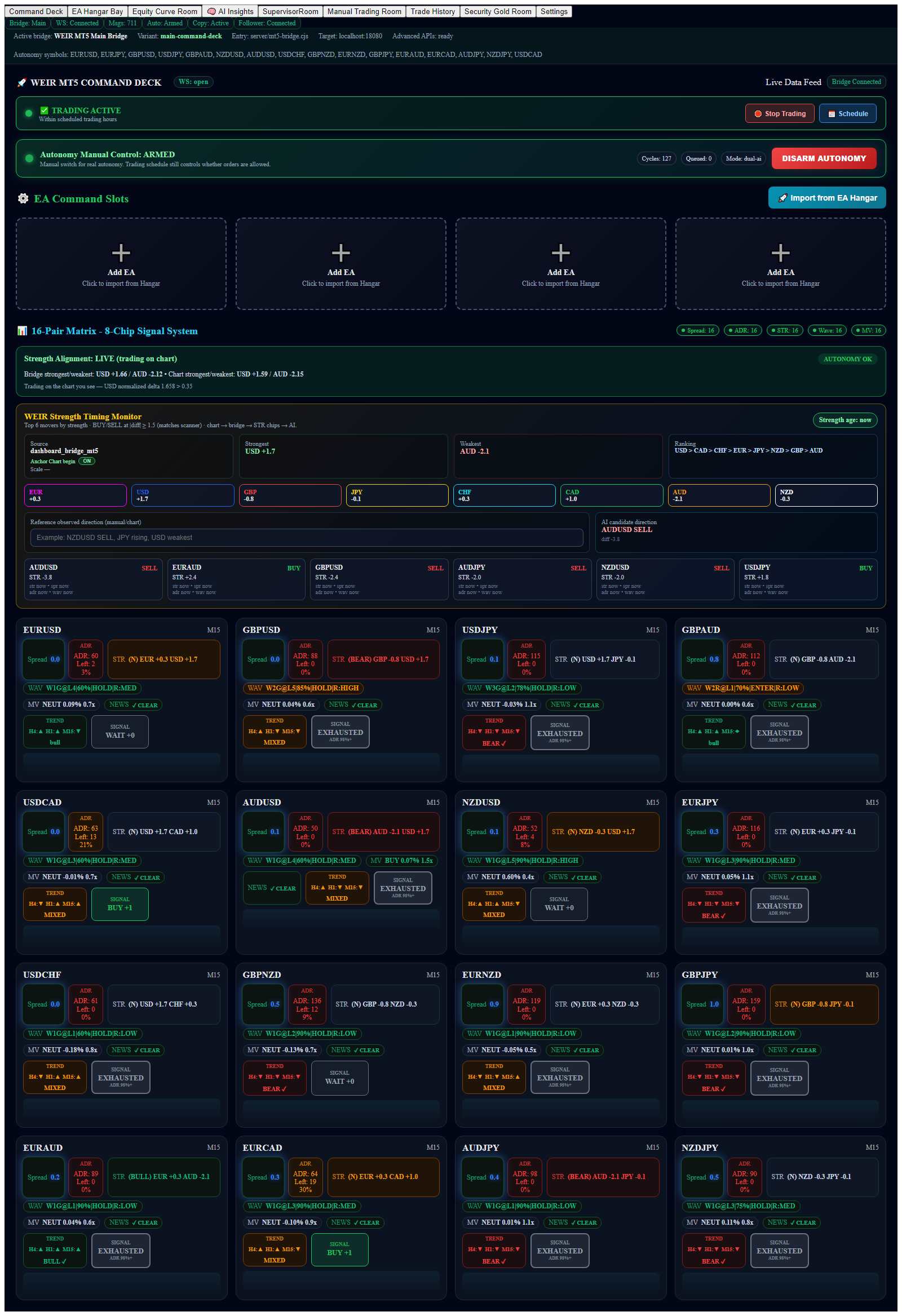
Full-page snapshot of the WEIR MT5 Command Deck — strength matrix, hangar slots, and autonomy controls
Full-page snapshot · Command Deck (top to bottom)

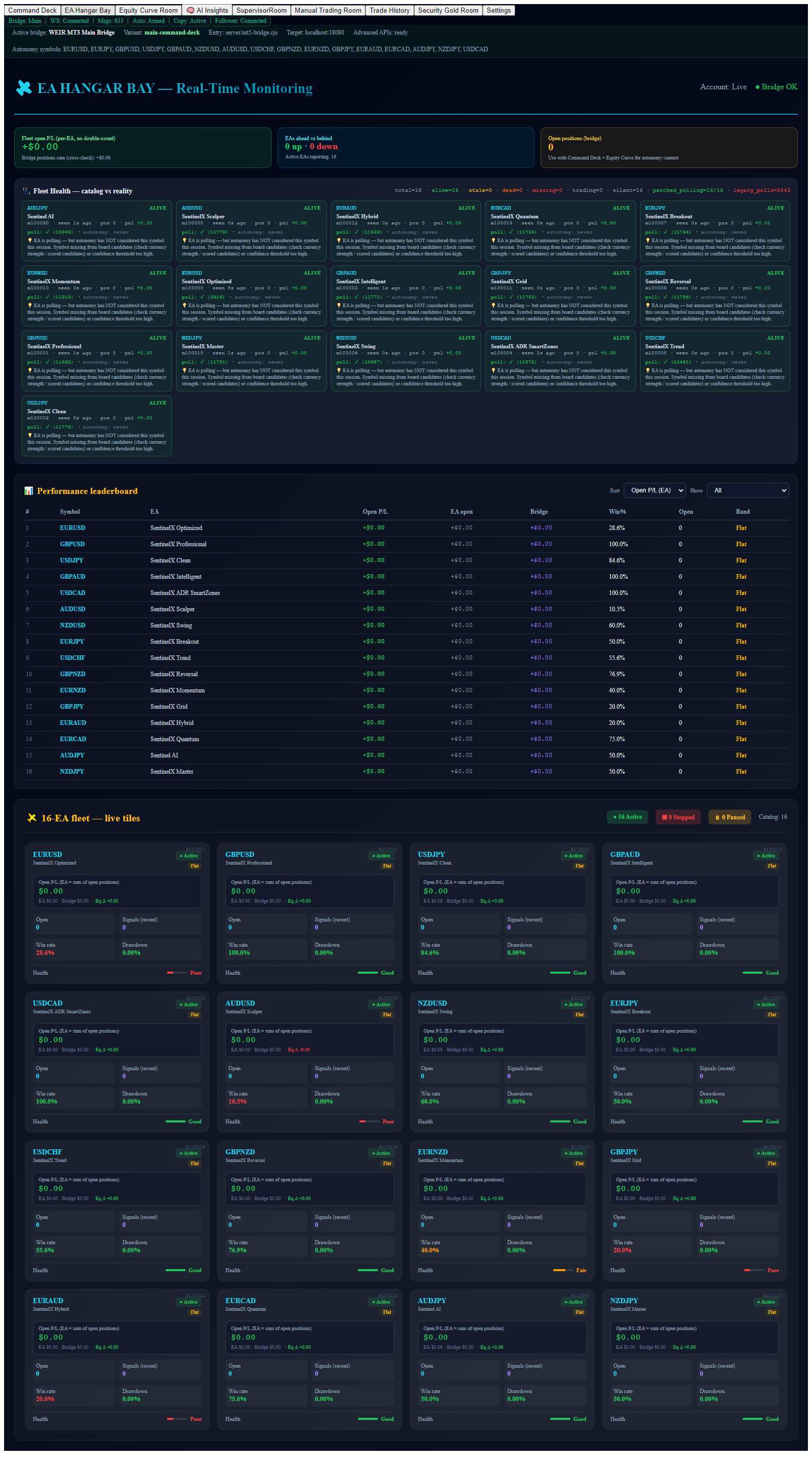
EA Hangar Bay

Fleet health before firepower. Know which systems are alive, leading, or lagging before they put capital at risk.

In plain English: sixteen EAs, one card each. The deck can queue an order; the EA on that pair’s chart has to pick it up. If the card is stale and positions stay at zero, the command left the deck and MT5 never kept it. Grid tickets on GBPJPY (magic 100011) are not Command Deck CS trades.

  • Track open P/L, win rate, and drawdown per EA in real time.
  • Use the ahead/behind view to spotlight hot versus cold systems.
  • Surface silent or stale EAs so they cannot hide inside the pack.
Full-page snapshot of the WEIR EA Hangar Bay — fleet health, EA cards, and performance monitoring
Full-page snapshot · EA Hangar Bay (top to bottom)

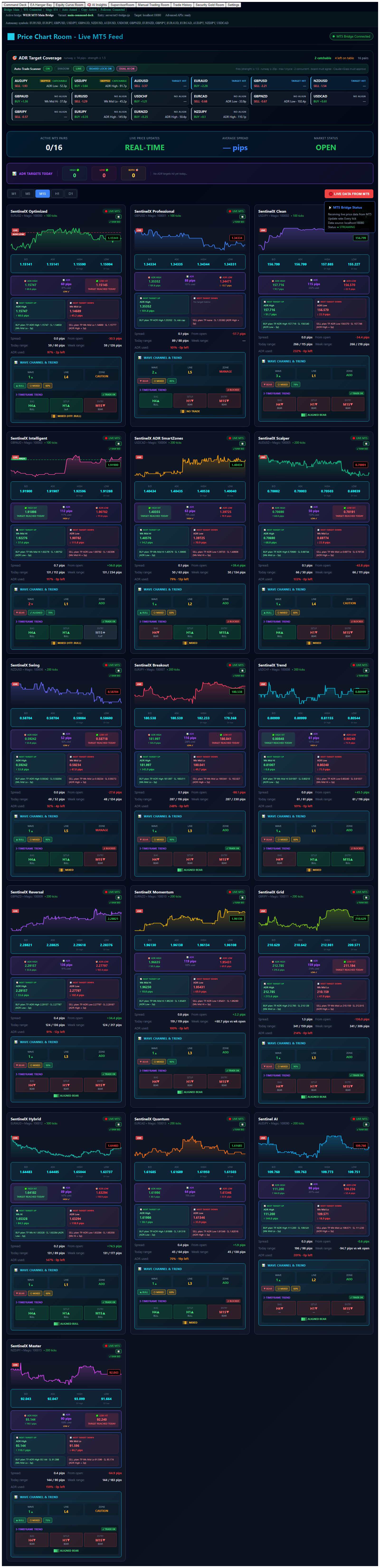
Equity Curve Room

Price, range, and targets in one room. Watch ADR paths and weekly structure so catchable setups do not expire unseen.

In plain English: today’s map. ADR is the typical daily range. If most of that range is already used, a new BUY or SELL is a chase. This room shows how much room is left to ADR High, ADR Low, and the weekly rungs the ladder uses.

  • Stream live MT5 price action with ADR high/low targets overlaid.
  • Identify READY and WATCH opportunities while the move is still available.
  • Align entries with weekly extensions and remaining daily range.
Full-page snapshot of the WEIR Equity Curve Room — live price, ADR targets, and catchable setups
Full-page snapshot · Equity Curve Room (top to bottom)

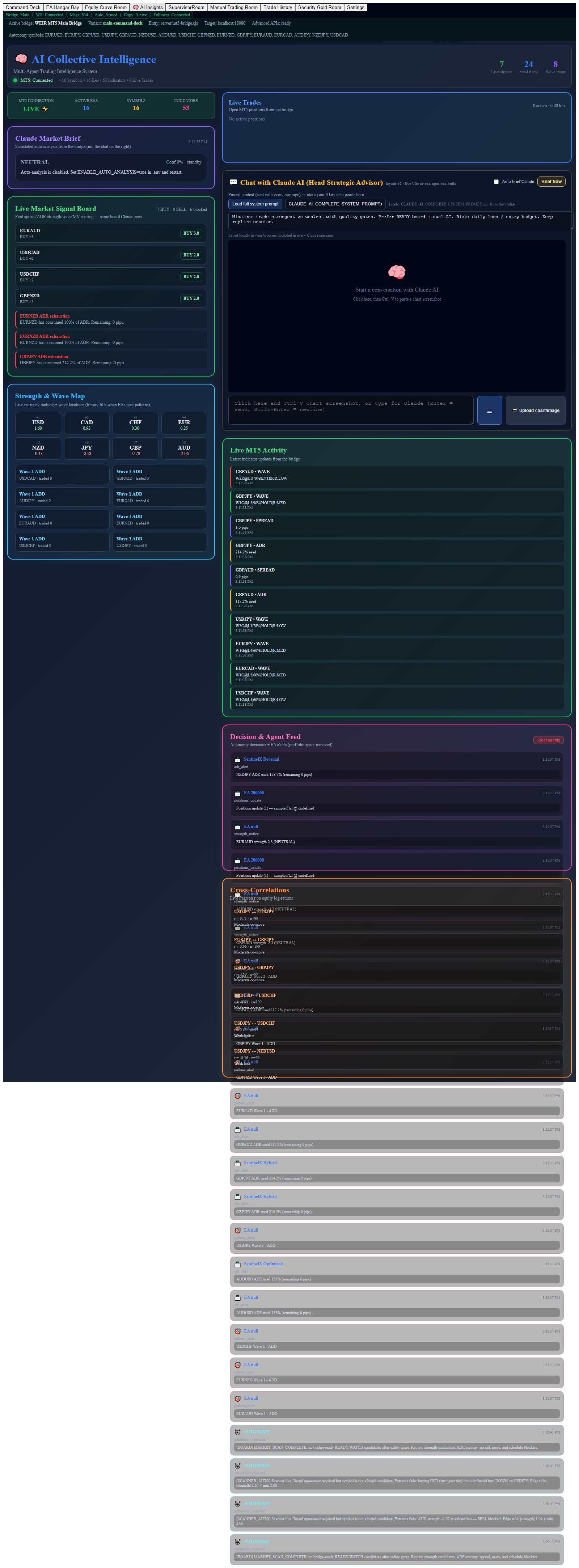
AI Insights

The intelligence desk. Ask why the board looks the way it does — with live context from strength, hangar, and equity.

In plain English: this is the “why” desk, not the fire button. Ask Claude to explain the board in sentences. Trades still go through Supervisor and the Command Deck. If chat says WAIT but the board is READY with STR at 1.50 or more, the deck is allowed to send the order.

  • Chat against live board, hangar, and equity context — not generic market chatter.
  • Surface correlations, wave structure, and quality-gated READY ideas.
  • Frame the mission as strongest versus weakest with explicit risk budgets.
Full-page snapshot of the WEIR AI Insights room — signal board, Claude chat, and collective intelligence
Full-page snapshot · AI Insights (top to bottom)

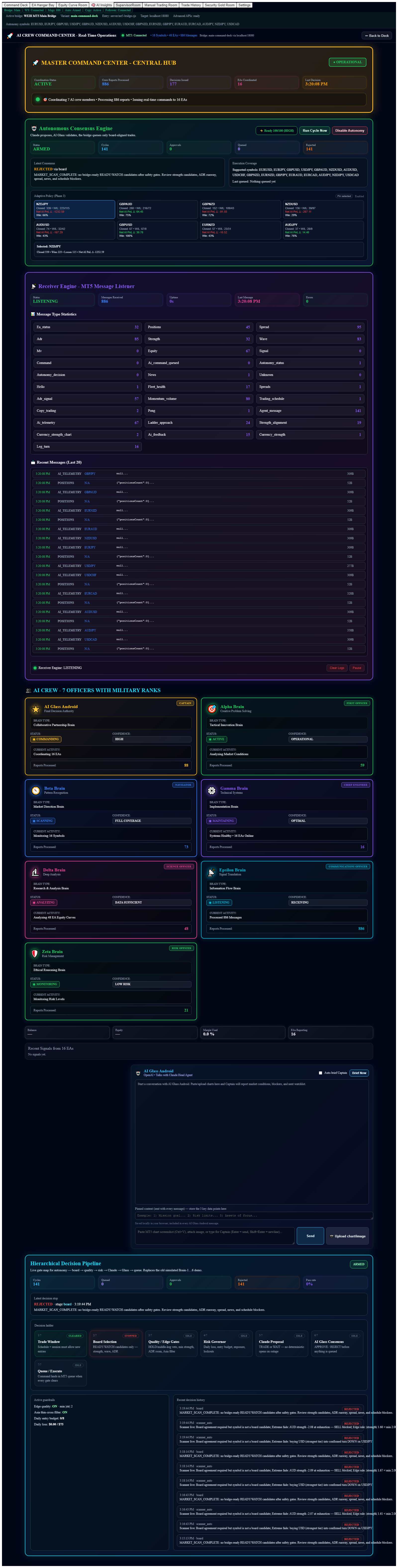
Supervisor Room

Autonomy with receipts. Follow the decision path — schedule, board, gates, risk, AI, execute — before capital moves.

In plain English: the receipt. Read the last stage and the last reason first. Queued means the deck handed MT5 an order. Filled means a position exists. If the daily budget is full and Hangar still shows zero positions, those were ghost queues — not real trades.

  • Arm autonomy and read a clear go / no-go posture each cycle.
  • Trace blockers such as spread, ADR, news, and exposure before entry.
  • Inspect the hierarchical map of what the system allowed or vetoed.
Full-page snapshot of the WEIR Supervisor Room — autonomy pipeline, gates, and decision map
Full-page snapshot · Supervisor Room (top to bottom)

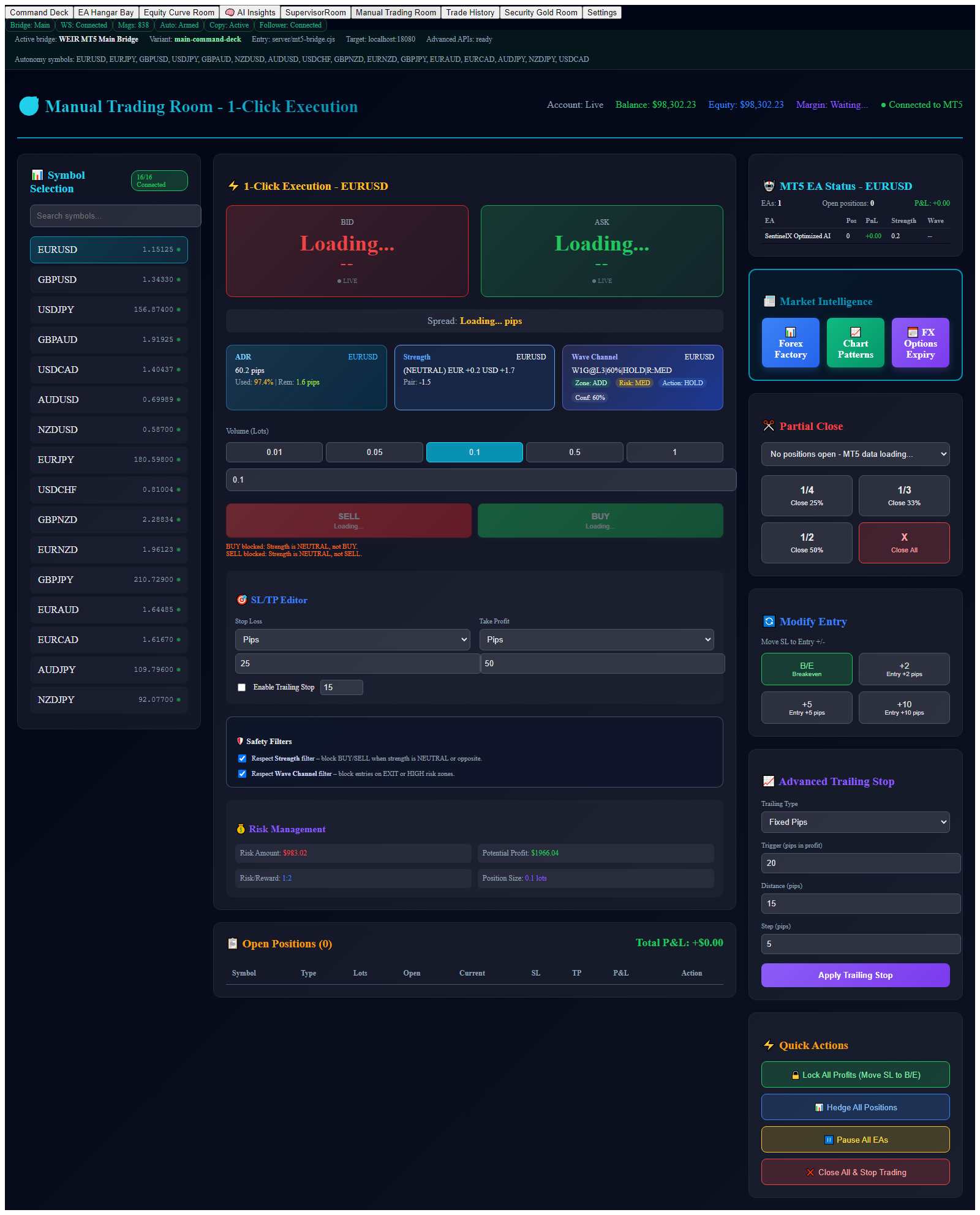
Manual Trading Room

Discretionary execution with the stack still watching. Click when you choose — with strength and wave filters available as guardrails.

In plain English: you click, the same CS / Wave / ADR rules can still say no. Use this when you want a fill now. Watch the top-bar Auto badge — autonomy can still be armed in the background.

  • Place market orders with live bid/ask and account context.
  • Optional strength and wave filters that block low-quality clicks.
  • Manage size, stop, target, and trailing without abandoning the signal stack.
Full-page snapshot of the WEIR Manual Trading Room — one-click execution with live bid/ask and filters
Full-page snapshot · Manual Trading Room (top to bottom)

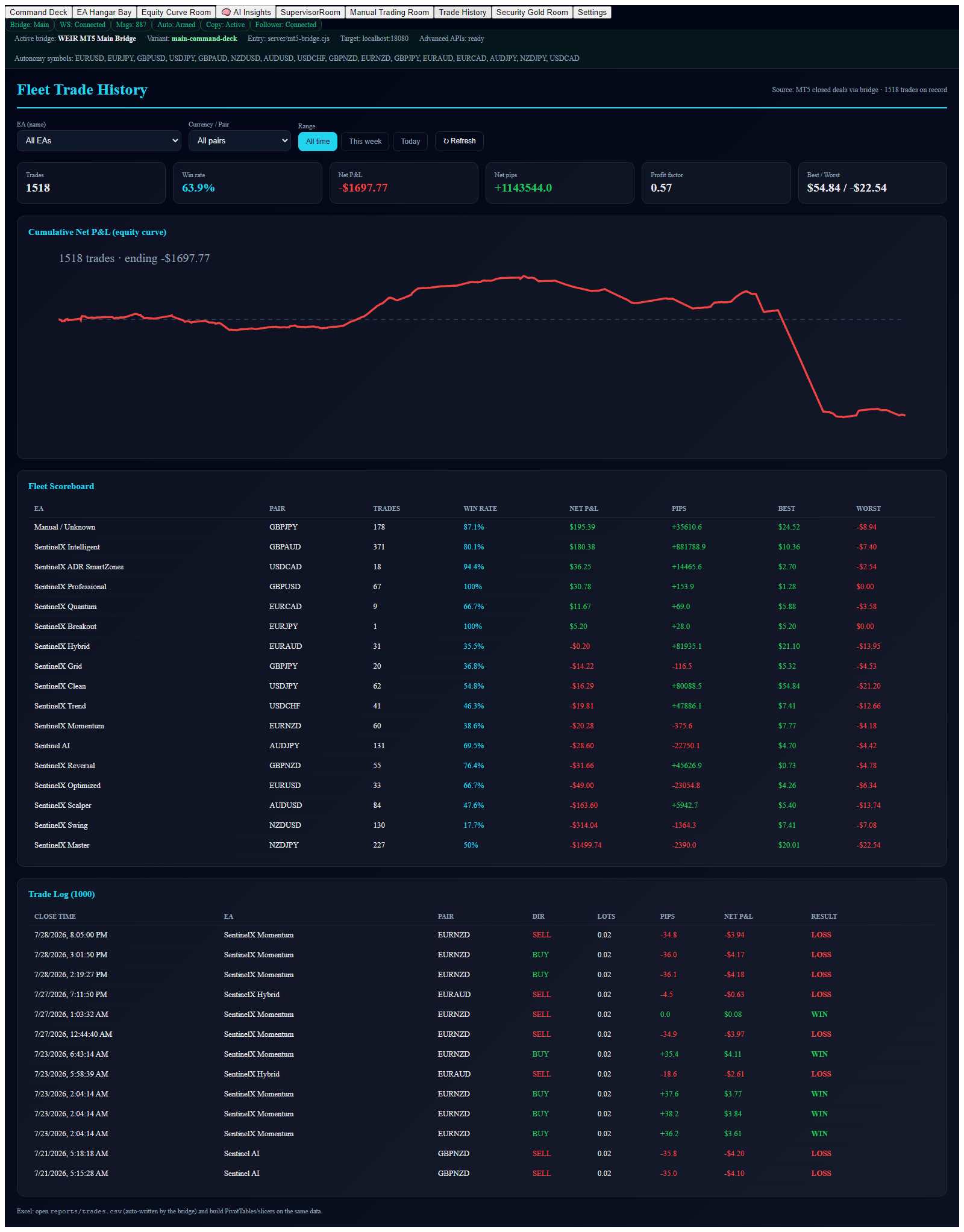
Trade History

Performance from MT5 truth. Review the fleet scoreboard and closed-deal journal — not estimates, not storytelling.

In plain English: only closed MT5 deals count. Look at symbol, magic, and comment. Tiny GBPJPY scalps from SentinelX Grid are a different engine. Command Deck trades show a real stop and the pair the board had on READY.

  • Per-EA scoreboard with win/loss and equity aggregates.
  • Filter by EA, pair, and today / week / all-time windows.
  • Audit closed deals as the source of truth for results reviews.
Full-page snapshot of the WEIR Trade History room — fleet scoreboard and closed-deal journal
Full-page snapshot · Trade History (top to bottom)

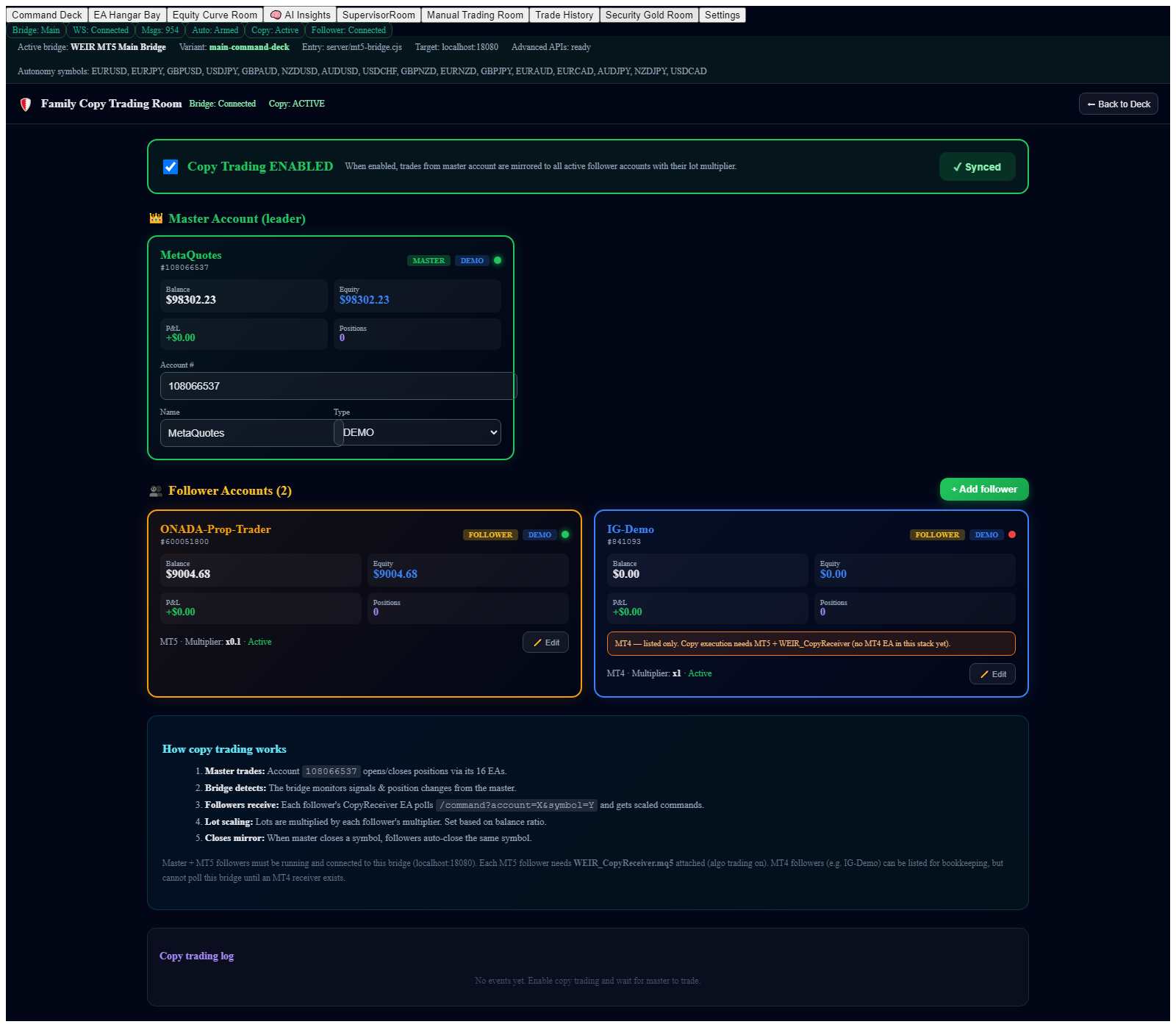
Security Gold Room

Family copy trading with sized risk. Mirror a leader account to followers using controlled multipliers — not blind mirroring.

In plain English: one leader, followers at a chosen size (1.0 = same lots, 0.5 = half). Copy only works when Copy Receiver is on the follower and the top bar says Follower: Connected. A leader fill that never appears on OANDA/IG is a copy problem, not a currency-strength problem.

  • One master to many followers with lot multipliers per account.
  • Live balance, equity, and P/L visibility for leader and followers.
  • Master enable/disable control synced through the bridge.
Full-page snapshot of the WEIR Security Gold Room — family copy trading leader and followers
Full-page snapshot · Security Gold Room (top to bottom)

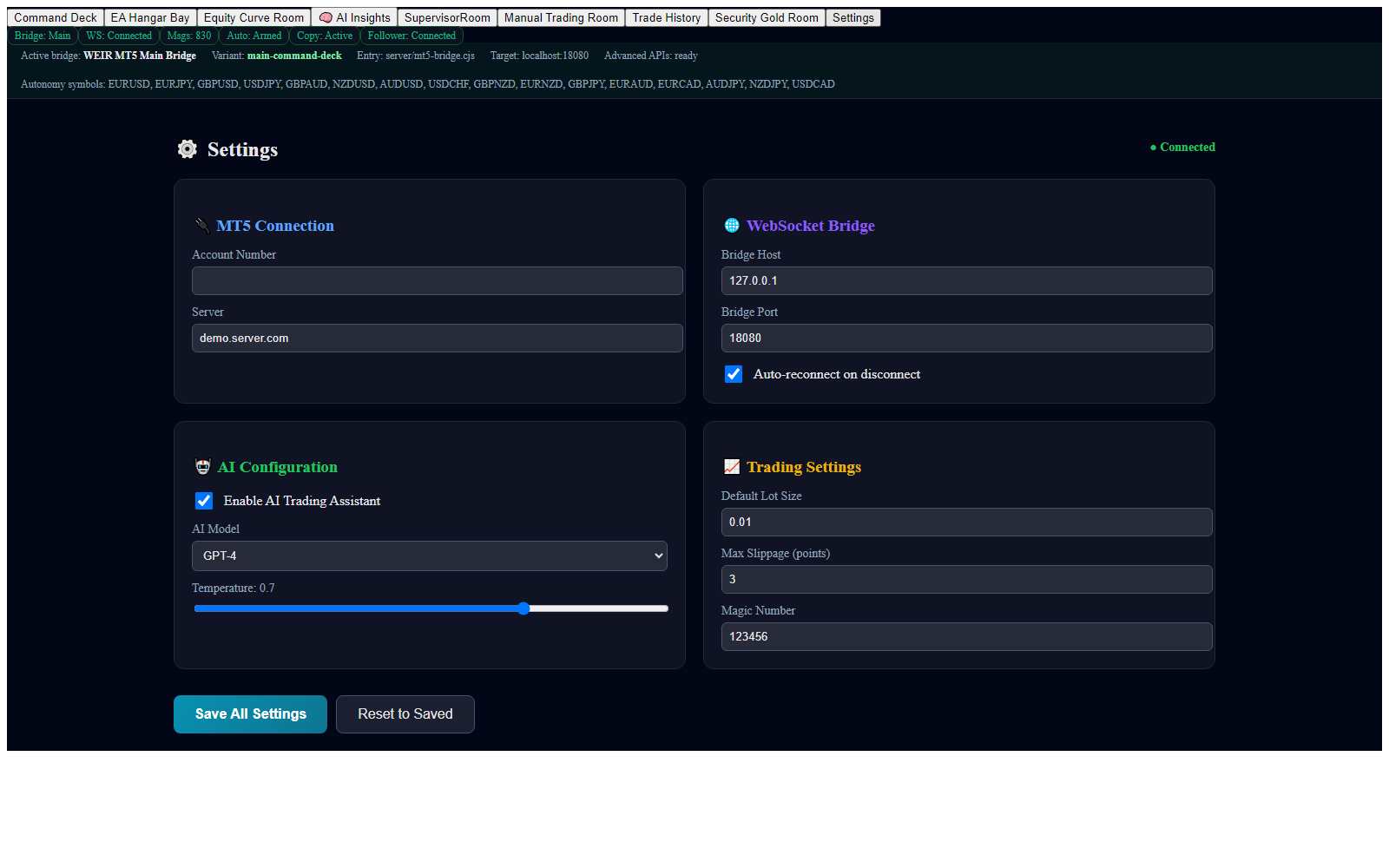
Settings

The control panel. Connect MT5, tune the bridge, configure AI behavior, and set the risk defaults that match how you operate.

In plain English: wires and limits. Bridge should be localhost:18080. The Sunday open follows the schedule unless you set a manual Allow override. Change risk and AI defaults slowly — this page is how the deck stays connected, not how you “make it trade more.”

  • Configure MT5 and WebSocket bridge connectivity.
  • Set AI model behavior and default trade parameters.
  • Dial risk defaults and notification preferences to your operating style.
Full-page snapshot of WEIR Settings — MT5, bridge, AI, and trading defaults
Full-page snapshot · Settings (top to bottom)

Next step

Prove the fit in 14 days.

This introduction site is the front door. The next step is a 14-day trial and your own download. Each copy has its own arm/disarm — the operator Command Deck cannot turn autonomy off on those installs.

Continue to 14-day trial

Opens the trial signup — 14 days free, then $149 / month if you stay.

Watch the deck